Uploaded image for project: 'JOC - JS7 Operations Center'
  1. JOC - JS7 Operations Center
  2. JOC-2201

Checkbox selection in Notice Boards applies Post/Delete actions to all Notices instead of selected Notice

    XMLWordPrintable

Details

    • Fix
    • Status: Released (View Workflow)
    • Medium
    • Resolution: Fixed
    • 2.7.4, 2.8.0, 2.8.3
    • 2.9.0, 2.8.3
    • None
    • None

    Description

      Description: 

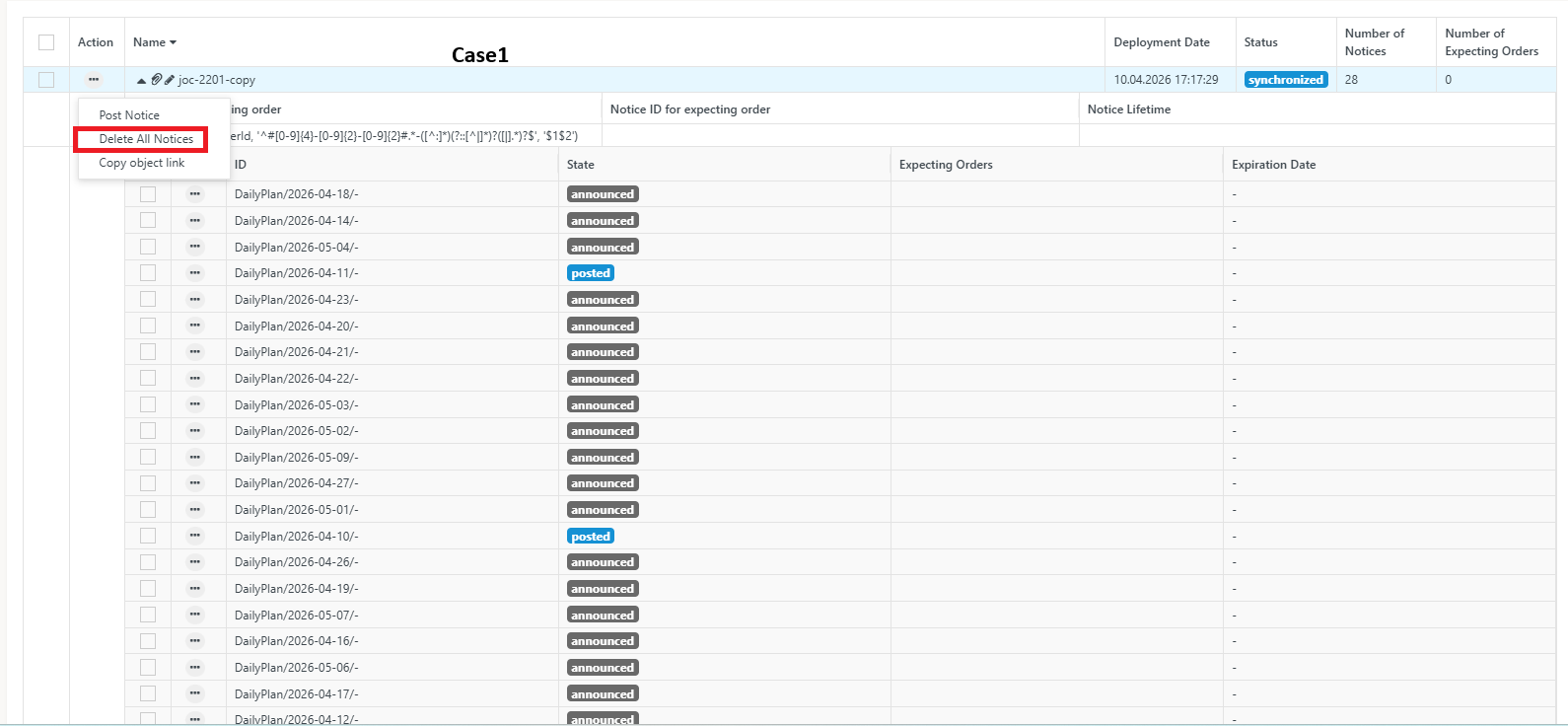
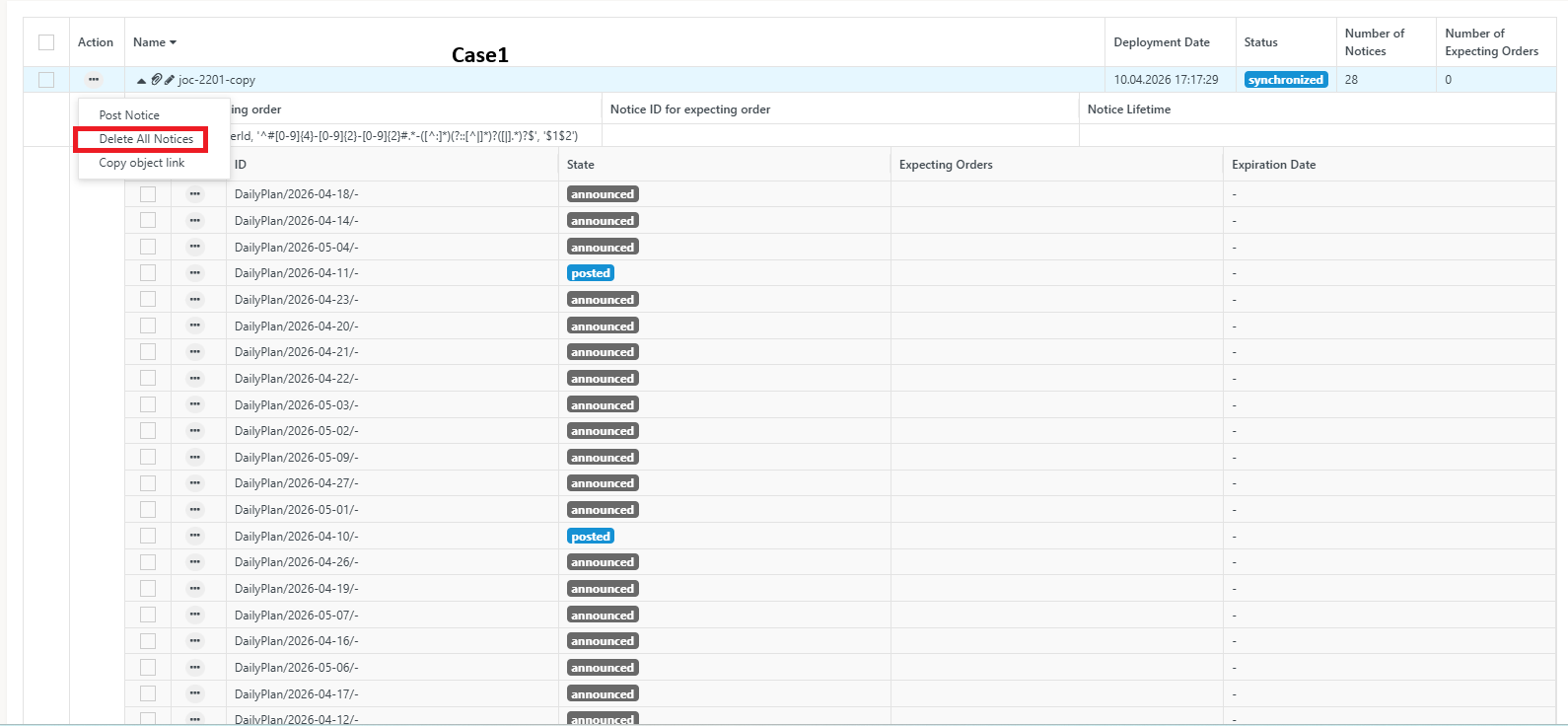
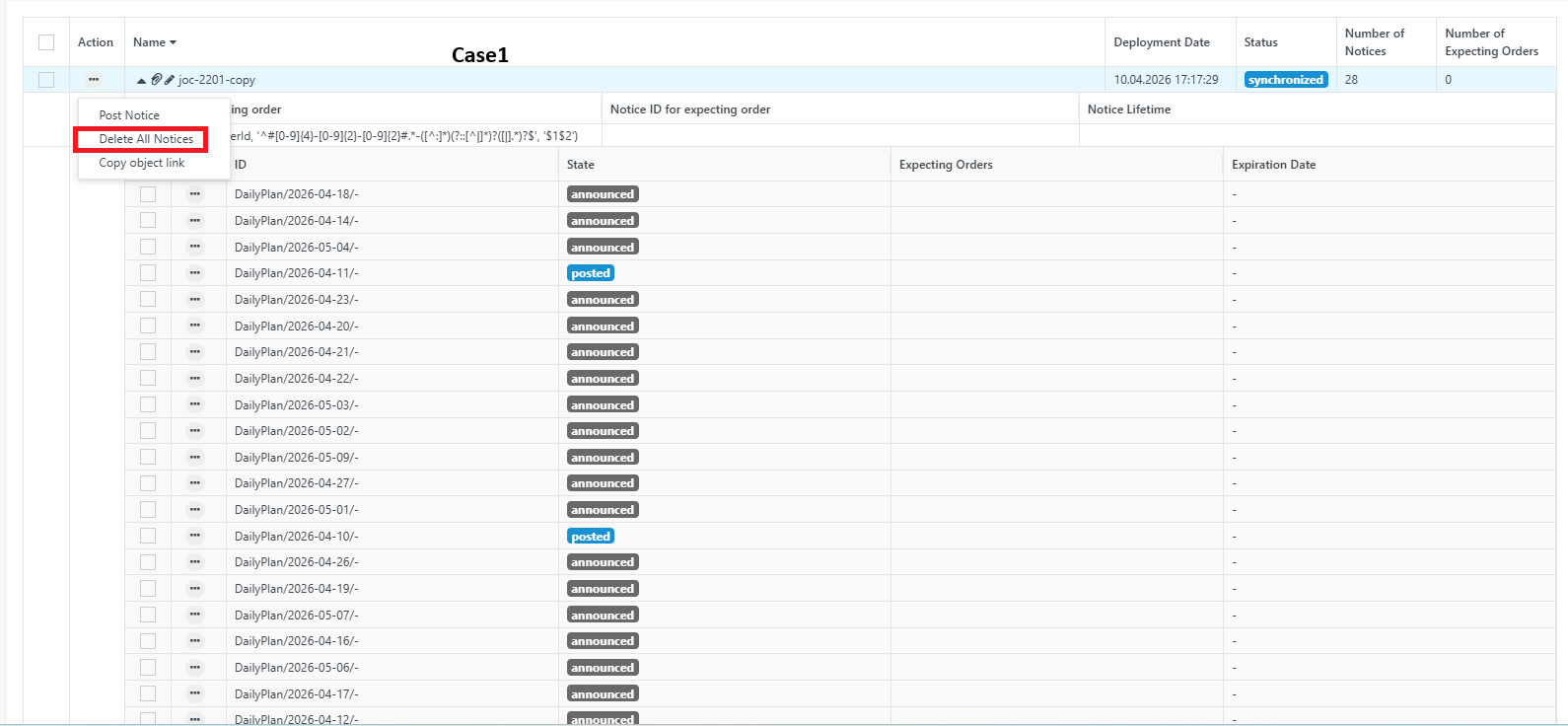
      Selecting the option to Post or Delete an announced/posted notice for a specific date from the Resources tab affects notices across all dates instead of only the selected date.

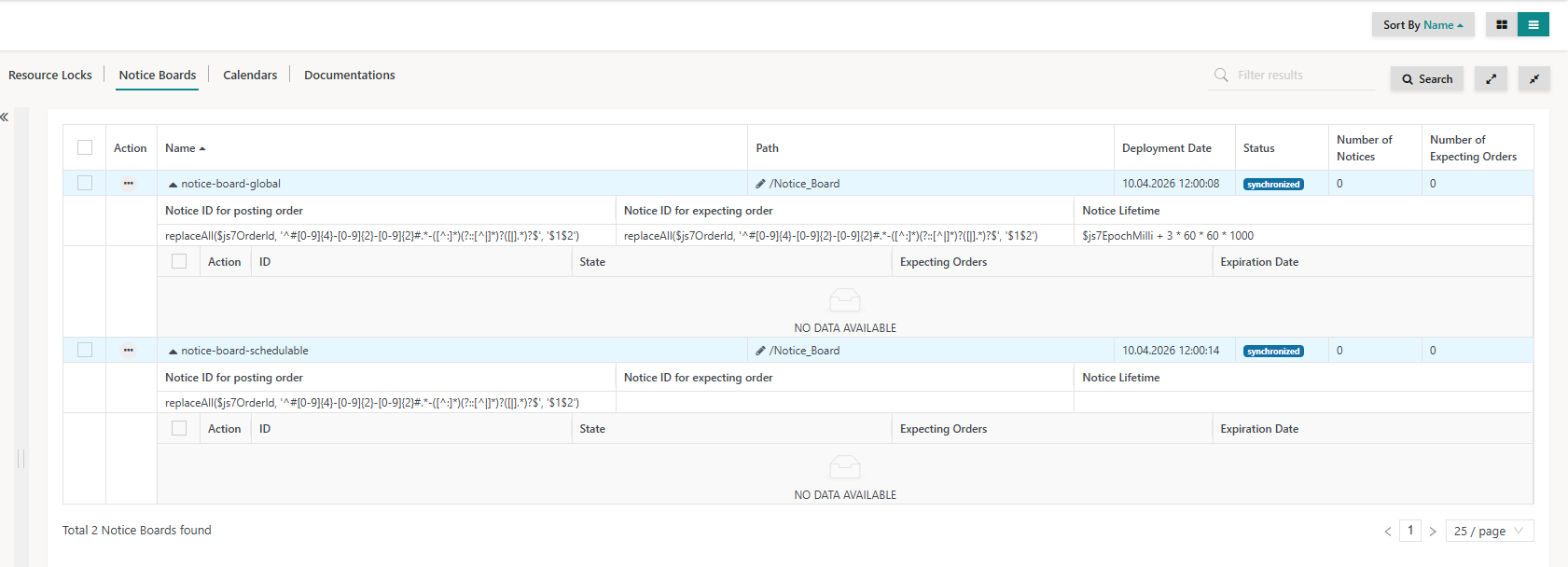
      This issue is observed for the workflow RES-A-Notice-Boards-Plannable using the plannable notice board RES_Notice-plannable.

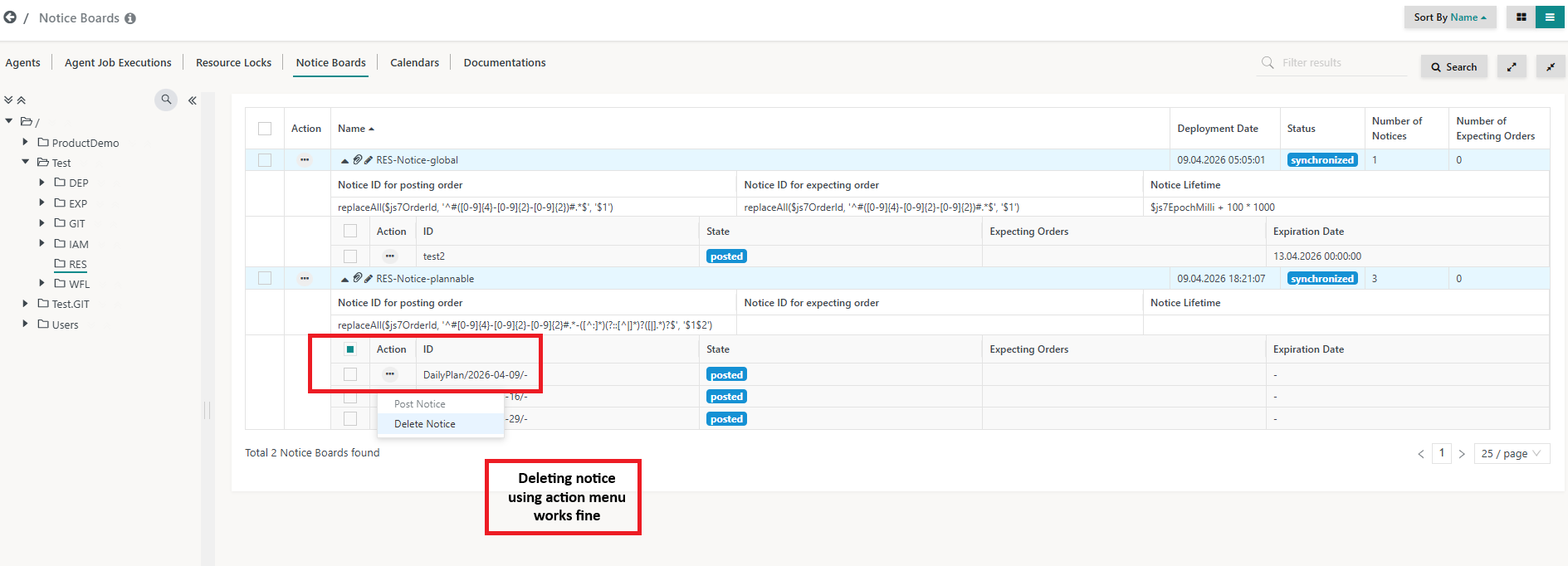
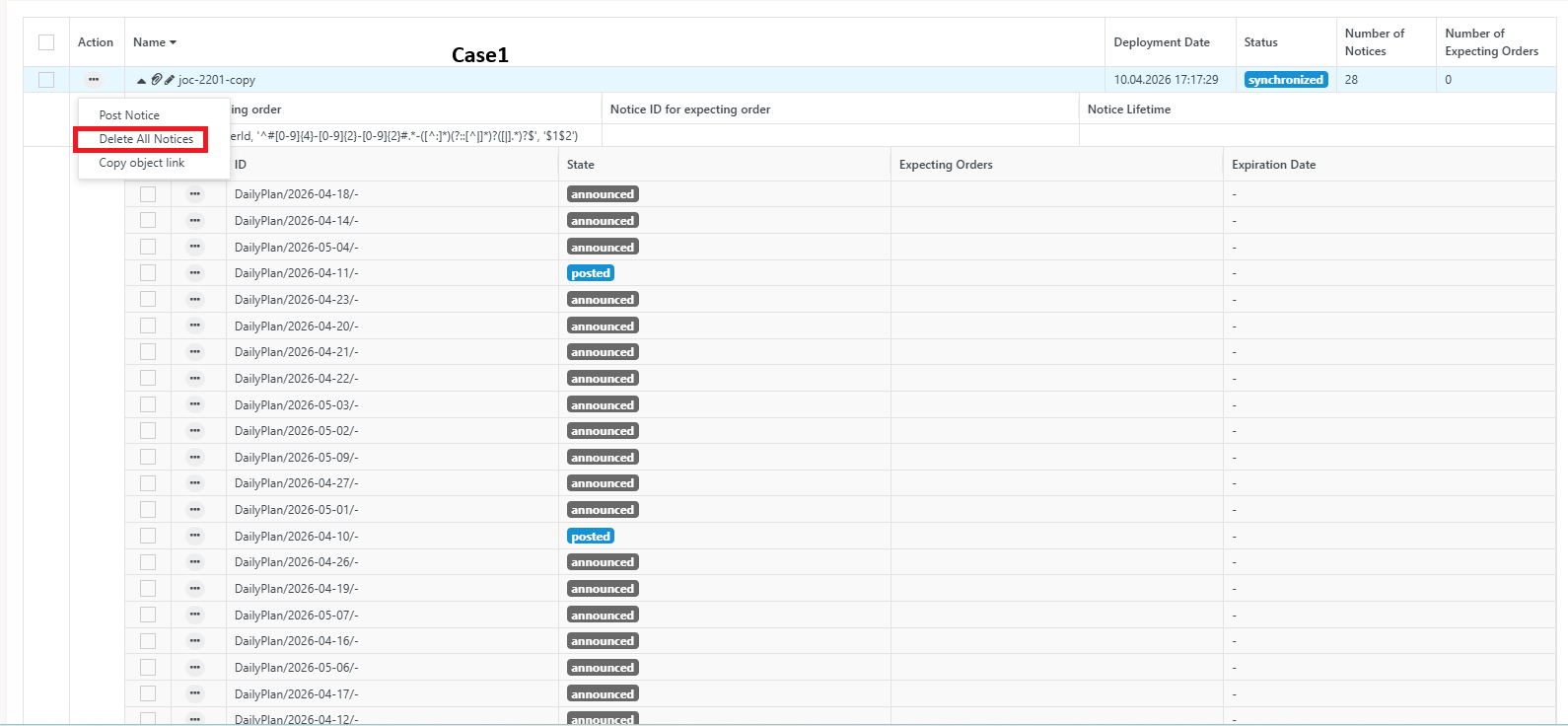
      The issue occurs when using checkbox selection at the notice level, which leads to unintended bulk operations. However, performing the same actions using the Action menu (three dots) works correctly and applies only to the selected notice.

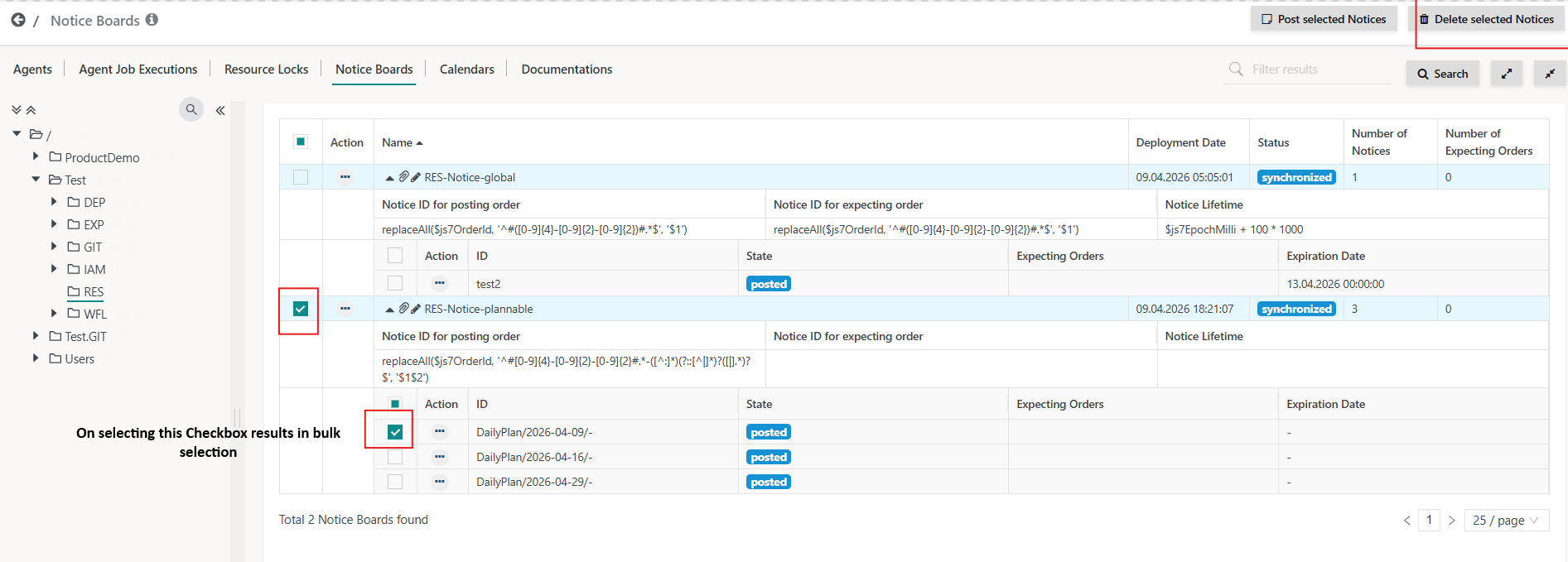
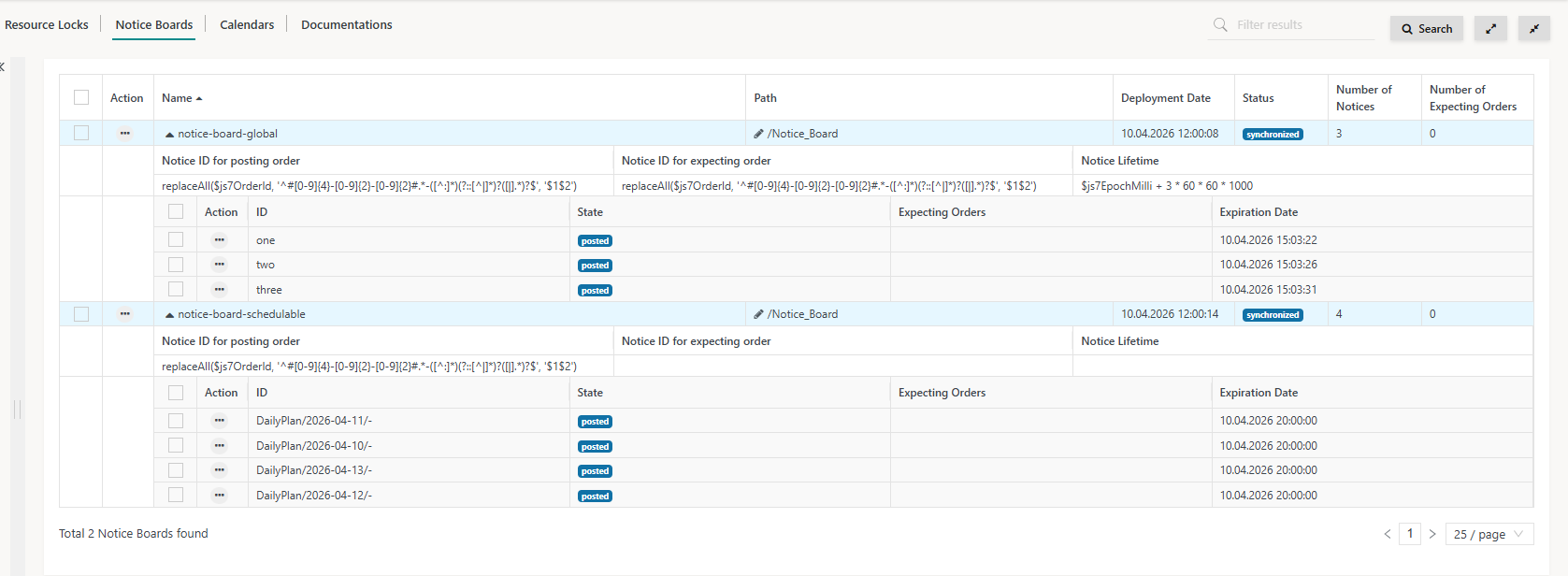
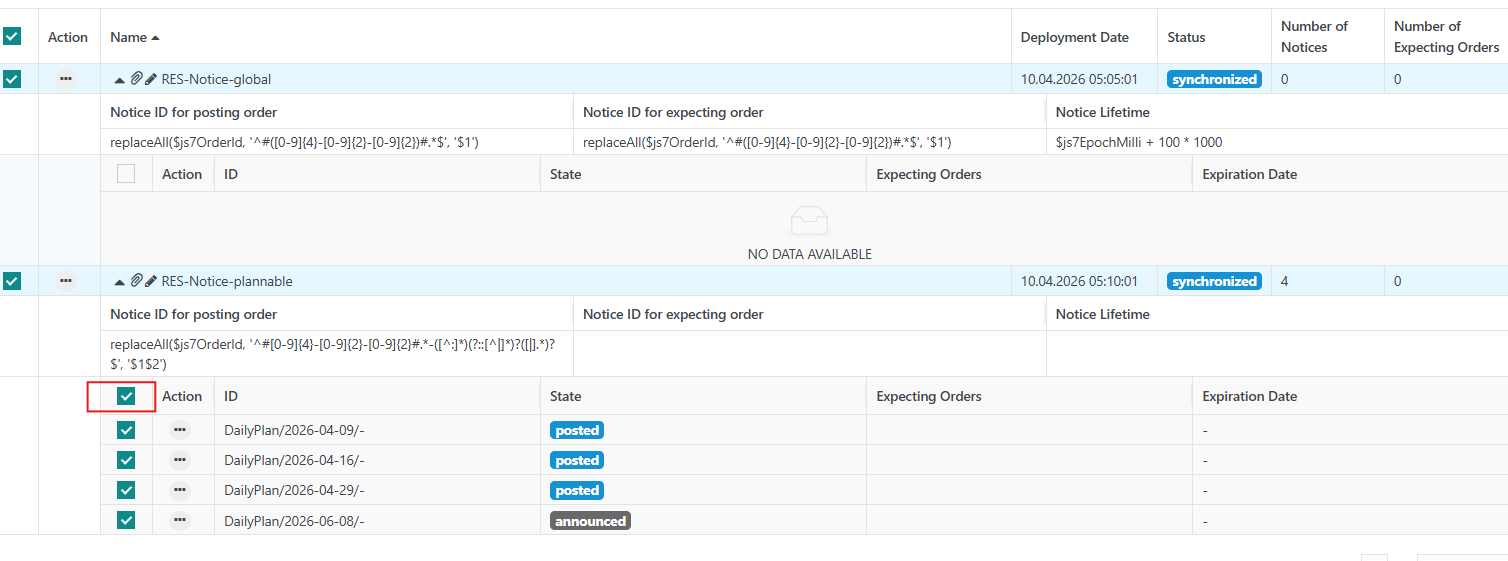
      Additionally When the user selects the checkbox in front of Action for RES-Notice-plannable, all checkboxes get selected, including those for RES-Notice-global, as shown in image-2-deletion.png

      This is incorrect because only the checkboxes related to RES-Notice-plannable should be selected.


      Environment:

      •  Workflow "RES-A-Notice-Boards-Plannable" and Noticeboard "RES-Notice-Plannable "can be accessed from Zehntech Test environment  additionally I have attached the JSON file for both.
         

      Preconditions: 

      A) Notices are in Announced  state

      B) Notices are in Posted state

      Steps to Reproduce

      A) Notices in ANNOUNCED state

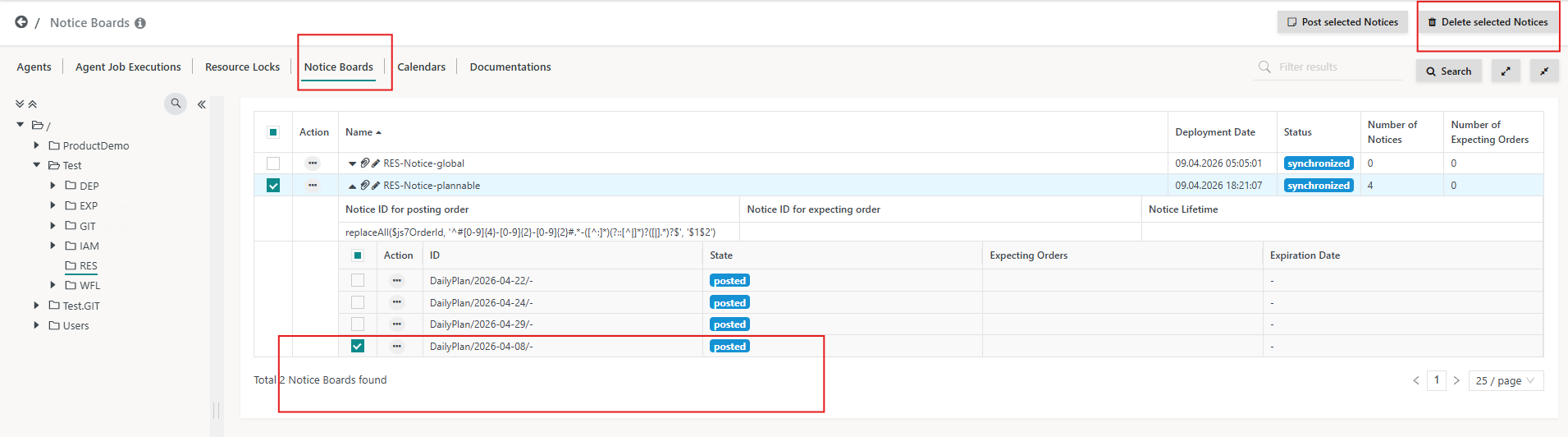
      1. Go to Resources → Notice Boards
      2. Select one announced notice using the checkbox
      3. Click Post selected Notices

      Actual Result
      All notices across all dates are posted, not limited to the selected date.

      Expected Result
      Only the selected notice for the specific date should be posted.

      B) Notices in POSTED state

      1. Go to Resources → Notice Boards
      2. Select one posted notice using the checkbox
      3. Click Delete selected Notices

      Actual Result
      All notices across all dates are deleted, not limited to the selected date.

      Expected Result
      Only the selected notice for the specific date should be deleted.
      Attachments

        1. Case1image1.png
          104 kB
          Apoorva Shandilya
        2. Case1image1-1.png
          104 kB
          Apoorva Shandilya
        3. Case1image1-2.png
          104 kB
          Apoorva Shandilya
        4. Case1image2.png
          40 kB
          Apoorva Shandilya
        5. checkbox selection.png
          110 kB
          Apoorva Shandilya
        6. deletion from action menu .png
          96 kB
          Apoorva Shandilya
        7. image-1-posted-notices.png
          80 kB
          Apoorva Shandilya
        8. image-2026-04-10-20-07-20-161.png
          30 kB
          Apoorva Shandilya
        9. image-2026-04-10-20-08-31-176.png
          104 kB
          Apoorva Shandilya
        10. image-2026-04-10-20-50-28-430.png
          70 kB
          Apoorva Shandilya
        11. image-2026-04-14-12-11-26-306.png
          30 kB
          Apoorva Shandilya
        12. image-2-deletion.png
          66 kB
          Apoorva Shandilya
        13. image-3-result.png
          66 kB
          Apoorva Shandilya
        14. posted.png
          78 kB
          Apoorva Shandilya
        15. RES-A-Notice-Boards-Plannable.workflow.json
          34 kB
          Apoorva Shandilya
        16. RES-Notice-plannable.noticeboard.json
          0.2 kB
          Apoorva Shandilya

        Activity

          People

            ZTNEERAJ303 Neeraj Patidar
            apoorva Apoorva Shandilya
            Apoorva Shandilya Apoorva Shandilya
            Votes:
            0 Vote for this issue
            Watchers:
            2 Start watching this issue

            Dates

              Created:
              Updated:
              Resolved: